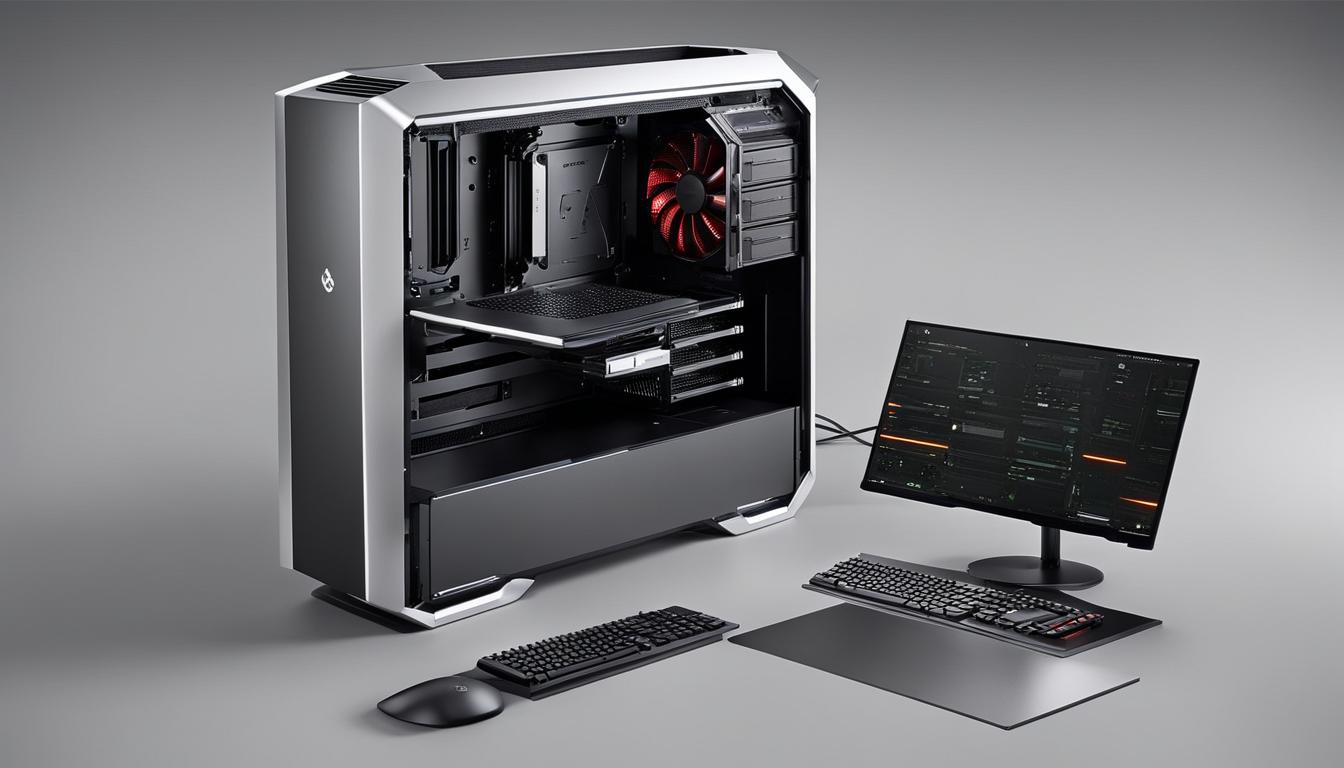
Building a powerful PC optimized for running artificial intelligence software doesn’t have to break the bank. With a budget of $1000, you can create a machine that delivers reliable performance for AI applications.
Artificial intelligence (AI) has become an integral part of various industries, from healthcare to finance and beyond. The ability to process large amounts of data, recognize patterns, and make intelligent decisions has revolutionized the way we work and live. To harness the full potential of AI, having a well-designed PC specifically built for AI applications is crucial.
In this guide, we will walk you through the process of creating a $1000 PC that can efficiently run AI software. From selecting the right components to assembling the PC and optimizing its performance, we will cover everything you need to know to get started on your AI journey.
Key Takeaways:
- Building a $1000 PC optimized for running AI software is achievable with the right components.
- Carefully selecting components such as CPU, graphics card, RAM, and storage is essential for optimal AI performance.
- Proper cooling and a robust power supply are crucial for maintaining the stability and longevity of the AI PC.
- After assembling the PC, setting up the necessary AI software and optimizing performance is key to a smooth AI experience.
- Planning for future upgrades and scalability allows for accommodating the growing demands of AI workloads.
The Importance of a Well-Designed PC for Artificial Intelligence
When it comes to running artificial intelligence applications, having a well-designed PC is essential. A PC optimized for AI workloads can provide the performance and efficiency required to handle complex AI algorithms and tasks. With the right components and configuration, you can ensure that your PC delivers the power and capabilities necessary for AI applications.
Artificial intelligence, or AI, has revolutionized various industries, including healthcare, finance, and technology. From machine learning and natural language processing to computer vision and data analysis, AI applications rely heavily on computational power and efficient processing. A well-designed PC can provide the necessary resources to tackle these AI tasks effectively.
So, what exactly makes a PC well-designed for artificial intelligence? It starts with carefully selecting and configuring the components that form the backbone of your PC. From the case and motherboard to the CPU, graphics card, RAM, and storage, each component plays a vital role in optimizing performance for AI workloads.
In addition, proper cooling and power supply solutions are crucial to maintaining optimal performance and preventing overheating or power-related issues. Effective cooling ensures that your PC can handle the heat generated by intense AI processing, while a robust power supply ensures stable and reliable power delivery to the components.
Benefits of a Well-Designed PC for AI Applications
A well-designed PC for artificial intelligence offers several benefits:
- Optimal Performance: A well-designed PC provides the computational power and resources required to handle complex AI algorithms efficiently. This leads to faster processing times and improved performance in AI applications.
- Efficient Workflows: AI workloads often involve large datasets and extensive computations. A well-designed PC ensures that these tasks can be processed efficiently, resulting in improved workflow and productivity.
- Reliability: AI projects can be time-consuming and resource-intensive. A well-designed PC minimizes the risk of hardware failures, ensuring that you can rely on your system for uninterrupted AI processing.
- Future-Proofing: By investing in a well-designed PC, you can future-proof your AI setup to some extent. Choosing components that offer scalability and upgradability allows you to adapt to evolving AI requirements and technologies.
“A well-designed PC optimized for AI workloads can provide the necessary performance and efficiency for running complex AI algorithms and tasks.”
In conclusion, a well-designed PC is pivotal to the success of your artificial intelligence applications. Investing in the right components, configuring them optimally, and ensuring efficient cooling and power supply solutions can elevate your AI processing capabilities to new heights. By having a PC that is specifically tailored for AI workloads, you can unlock the full potential of artificial intelligence and drive innovation in various fields.
Image:
Picking the Right Components for Your AI PC
Building an AI PC requires careful consideration of the key components that will ensure the smooth operation of your artificial intelligence software. Each component plays a crucial role in delivering the performance and efficiency needed for AI applications.
The Case
The case is not just about aesthetics; it also affects the overall functionality of your AI PC. Investing in a visually appealing case with ample space for components and good airflow can enhance the performance and longevity of your AI PC. Choose a case that suits your style and provides the necessary cooling options to prevent overheating.
The Motherboard
Selecting the right motherboard is essential for your AI PC as it determines the compatibility and expandability of your system. Look for a motherboard that supports the latest CPU and GPU technologies, offers sufficient slots for RAM and storage, and has robust connectivity options for peripherals.
The Power Supply
A high-quality power supply is crucial for the stable operation of your AI PC. Invest in a power supply with sufficient wattage to meet the demands of your components while providing clean and stable power. This will ensure reliable performance and safeguard against potential power-related issues.
The CPU
Choosing the right CPU is vital for AI workloads, as it handles the computational tasks required by artificial intelligence algorithms. Opt for a powerful CPU with multiple cores and high clock speeds to deliver fast and efficient processing. Consider CPUs optimized for AI tasks, such as those from AMD’s Ryzen or Intel’s Core i7 and i9 series.
The Graphics Card
An AI PC requires a high-performance graphics card capable of accelerating AI processing. GPUs, especially ones designed for AI, can handle parallel computations efficiently. Look for graphics cards like Nvidia’s GeForce RTX series or AMD’s Radeon RX series, which provide excellent AI processing capabilities.
The RAM
Ample RAM is essential for AI workloads, ensuring fast data access and processing. Choose high-capacity DDR4 RAM modules to accommodate large datasets and multitasking requirements. Aim for at least 16GB of RAM, but consider 32GB or more for more demanding AI applications.
The Storage
When it comes to storage, strike a balance between speed and capacity. An SSD (Solid State Drive) offers fast data access, critical for AI applications, while a larger-capacity HDD (Hard Disk Drive) can accommodate extensive datasets and model files. Consider a combination of an SSD for the operating system and frequently accessed files, and an HDD for long-term storage.
Summary:
Building an AI PC requires careful consideration of essential components such as the case, motherboard, power supply, CPU, graphics card, RAM, and storage. The case provides both functionality and aesthetics, while the motherboard ensures compatibility and expandability. A stable power supply is vital for reliable performance, and a powerful CPU and graphics card accelerate AI processing. Sufficient RAM and an appropriate storage combination further optimize the AI PC’s capabilities.
The Case: Ensuring Aesthetics and Functionality
The PC case is a pivotal component that not only houses your AI PC’s hardware but also plays a significant role in its overall aesthetics and functionality. Investing in a visually appealing case with ample space for components and good airflow is essential for enhancing your AI PC experience.
The aesthetics of your PC case should reflect your personal style, whether you prefer a sleek and minimalist design or a bold and eye-catching appearance. A visually appealing case adds a touch of elegance to your workspace, making your AI PC a statement piece.
Functionality is another crucial aspect to consider when choosing a PC case for your AI PC build. It should provide sufficient space to accommodate all the necessary components, including the motherboard, CPU, graphics card, and storage drives. Opting for a spacious case allows for easy cable management, ensuring better airflow and improved heat dissipation.
Furthermore, a well-designed case with excellent airflow helps prevent overheating, ensuring the optimal performance of your AI PC. Good airflow reduces the risk of thermal throttling and extends the lifespan of your components. Look for cases with strategically positioned fans or support for liquid cooling solutions to maintain lower temperatures during heavy AI workloads.
Quote:
“Investing in a high-quality PC case not only enhances the aesthetics of your AI PC but also ensures optimal functionality and performance. It’s like choosing the perfect outfit for your PC, making it a visual delight while delivering powerful AI capabilities.”
When selecting a PC case, keep in mind the size compatibility with other components, such as the motherboard form factor and the length of the graphics card. Measure the available space in your workspace to determine whether a full tower, mid-tower, or compact case suits your needs.
Considerations for PC case aesthetics and functionality:
- Choose a visually appealing case that aligns with your personal style.
- Ensure sufficient space for all components and easy cable management.
- Look for good airflow and cooling options to prevent overheating.
Aesthetics and functionality go hand in hand when it comes to selecting the ideal PC case for your AI PC. By prioritizing both aspects, you can create a visually stunning and high-performing machine that elevates your AI experience to new heights.
Choosing the Right CPU for AI Workloads
When it comes to running AI workloads, selecting the right CPU is crucial for achieving optimal performance. With a wide range of options available in the market, it’s important to consider the specific computational requirements of artificial intelligence algorithms.
Artificial intelligence demands immense processing power and efficient multitasking capabilities, which can be provided by a powerful CPU. A high-performance CPU ensures smooth execution of complex AI tasks, enabling faster and more accurate results.
When choosing a CPU for AI workloads, consider the following factors:
- Processing Power: Look for CPUs with a high number of cores and threads, as they can handle multiple AI tasks simultaneously, improving productivity and reducing processing time.
- Cache Size: A larger cache size enables faster retrieval of data, which is crucial for AI workloads that involve extensive data processing.
- Instruction Sets: Opt for CPUs with advanced instruction sets, such as AVX or AVX-512, which enhance performance in AI applications.
- Compatibility: Ensure that the CPU you choose is compatible with your motherboard and other components in your AI PC setup.
Popular CPU options for AI workloads include:
| CPU Model | Number of Cores | Base Clock Speed | Price |
|---|---|---|---|
| AMD Ryzen 9 5950X | 16 | 3.4 GHz | $799 |
| Intel Core i9-10900K | 10 | 3.7 GHz | $529 |
| AMD Ryzen 7 5800X | 8 | 3.8 GHz | $449 |
These CPUs offer a balance between power, performance, and affordability, making them suitable for a range of AI workloads.
Keep in mind that the CPU choice should align with your specific AI requirements and budget. It’s advisable to consult expert opinions and benchmarks to make an informed decision.
An image of a powerful CPU, representing its significance in AI workloads.
Selecting the Graphics Card for AI Processing
When it comes to AI processing in your PC, selecting the right graphics card is of utmost importance. Graphics Processing Units (GPUs) are known for their exceptional efficiency in handling the parallel computations required by AI algorithms. By choosing a high-performance graphics card, you can significantly accelerate AI processing and enhance the overall performance of your system.
One of the top choices for AI workloads is the Nvidia GeForce GTX 1070. With its impressive CUDA core count and high memory bandwidth, this graphics card delivers exceptional performance for AI processing tasks. Additionally, the Nvidia RTX 3090 offers even more power, allowing you to handle complex AI algorithms with ease.
By harnessing the power of a high-performance graphics card, you can maximize the efficiency of AI processing in your PC. Investing in a graphics card like the Nvidia GeForce GTX 1070 or RTX 3090 ensures that your system is equipped to handle the demanding computational requirements of AI algorithms, enabling faster and more accurate results.
The Role of RAM in AI Workloads
RAM, short for Random Access Memory, is a vital component that plays a critical role in the smooth operation of AI workloads. It serves as a temporary storage for data, allowing fast access and processing.
When it comes to AI applications, having enough RAM is essential to prevent bottlenecks and ensure efficient data handling. The large datasets and complex algorithms used in AI workloads require substantial memory capacity to perform tasks effectively.
With sufficient RAM, your AI PC can store and process data quickly, enabling faster model training, inference, and overall performance. Insufficient RAM may lead to slower processing speeds, as the system constantly retrieves data from the slower storage drives, resulting in decreased efficiency.
Moreover, AI workloads often involve working with multiple datasets simultaneously, and high memory capacity allows for efficient multitasking and seamless switching between different data sets without performance degradation.
Adding more RAM to your AI PC can be a cost-effective solution to enhance its performance without significant hardware upgrades. By increasing the RAM capacity, you can optimize your AI workloads and minimize the risk of memory-related bottlenecks.
“RAM is like a workspace for your AI PC, providing a fast and easily accessible area for data processing. Having ample RAM ensures that your system can handle the demanding requirements of AI workloads, allowing for smoother operations.”
When considering RAM for AI workloads, it’s important to choose modules with high-speed specifications and compatible with your motherboard. Look for DDR4 RAM modules with higher frequencies and lower CAS latency for optimal performance.
Below is a comparison table showcasing different RAM options suitable for AI workloads:
| RAM Model | Capacity | Speed | Price |
|---|---|---|---|
| Corsair Vengeance LPX | 16GB | 3200MHz | $80 |
| Crucial Ballistix Sport LT | 32GB | 3600MHz | $120 |
| G.Skill Ripjaws V Series | 64GB | 3200MHz | $200 |
Choosing the right RAM capacity and speed depends on the specific requirements of your AI workloads and budget constraints. Consider your application’s memory demands and select a suitable RAM configuration accordingly.
Key Takeaways:
- RAM is essential for AI workloads, providing fast data access and processing capabilities.
- Sufficient RAM capacity is necessary to prevent bottlenecks and ensure efficient AI performance.
- Adding more RAM to your AI PC can optimize data handling and multitasking.
- Choose high-speed DDR4 RAM modules that are compatible with your motherboard.
- Consider the RAM capacity and speed based on your AI workload requirements and budget.
Storage Considerations for AI PC
When building an AI PC, choosing the right storage solution is crucial to ensure efficient data access and storage for your AI workloads. The storage options you select will depend on the specific requirements of your AI applications.
An SSD, or Solid-State Drive, is an excellent choice for storing and accessing data quickly. Its flash memory technology provides faster read and write speeds compared to traditional hard disk drives (HDDs). SSDs excel in delivering rapid data access, which is essential for AI workloads that involve processing large datasets and complex models.
If you’re working with massive amounts of data, such as in deep learning projects, you may need larger storage capacities than what SSDs typically offer. In such cases, HDDs may be a more suitable option. Hard disk drives provide ample storage space at a lower cost per gigabyte compared to SSDs. While they may not match the speed of SSDs, HDDs are ideal for long-term storage of datasets and model files.
Tip: Consider using a combination of SSDs and HDDs in your AI PC for optimal performance. Install the operating system and frequently accessed data on the SSD, while storing large datasets and less frequently accessed files on the HDD.
It’s also worth noting that network-attached storage (NAS) devices can be an alternative storage solution for AI PCs. NAS devices are dedicated storage systems that connect to your network, allowing easy sharing and access to data across multiple devices. They offer scalability and can accommodate large datasets, making them suitable for AI applications that involve collaborative work or multiple users.
Comparing SSDs and HDDs for AI PC Storage
Here’s a comparison of the key features and considerations between SSDs and HDDs for storage in an AI PC:
| Feature | SSD | HDD |
|---|---|---|
| Speed | Faster read and write speeds, ideal for rapid data access | Slower read and write speeds compared to SSDs |
| Storage Capacity | Smaller capacities, typically in the range of 128GB to 2TB | Larger capacities, ranging from 1TB to several terabytes |
| Price per Gigabyte | Relatively more expensive compared to HDDs | Lower cost per gigabyte |
| Long-Term Storage | Not ideal for long-term storage of large datasets | Well-suited for long-term storage of datasets and model files |
Remember to consider your specific needs, budget, and storage requirements when making a decision between SSDs and HDDs for your AI PC.
Optimizing Power Supply for AI PC
When it comes to building an AI PC, the power supply is often overlooked, but it plays a crucial role in ensuring stable and reliable power delivery to your system. Investing in a high-quality power supply with sufficient wattage is essential for the smooth operation of your AI applications.
To optimize the power supply for your AI PC, consider the following:
1. Wattage and Efficiency
Choose a power supply unit (PSU) with a wattage rating that meets the demands of your AI PC’s components. It’s recommended to have a PSU with a wattage that exceeds the total power consumption of your system to account for any future upgrades. Additionally, opt for a PSU with a high efficiency rating to minimize power wastage and reduce heat generation.
2. Modular Design
A modular PSU allows you to connect only the necessary cables, eliminating cable clutter and improving airflow within your PC case. This not only improves the aesthetics of your build but also enhances cooling performance, reducing the risk of overheating.
3. Overcurrent and Overvoltage Protection
Look for a power supply that provides overcurrent protection (OCP) and overvoltage protection (OVP). OCP safeguards your PC components from excessive current flow, preventing damage, while OVP protects against voltage spikes, ensuring the safety of your system during power fluctuations.
To demonstrate the importance of a well-optimized power supply for your AI PC, take a look at the following table:
| Power Supply | Wattage | Efficiency | Modularity | Price |
|---|---|---|---|---|
| Corsair RM750x | 750W | 80 Plus Gold | Full Modular | $129.99 |
| EVGA SuperNOVA 850 G5 | 850W | 80 Plus Gold | Full Modular | $149.99 |
| Seasonic FOCUS GX-1000 | 1000W | 80 Plus Gold | Full Modular | $224.99 |
Note: Prices are for reference only and subject to change.
As you can see from the table, investing in a high-quality power supply, such as the Corsair RM750x, EVGA SuperNOVA 850 G5, or Seasonic FOCUS GX-1000, can provide the necessary power, efficiency, and modularity for your AI PC.
“A well-optimized power supply ensures stable power delivery, protecting your AI PC from potential damage due to power fluctuations while maximizing its performance and longevity.”
Remember, your power supply is the lifeline of your AI PC. Don’t overlook its importance and invest in a reliable and efficient power supply to unleash the true potential of your AI applications.
Cooling Solutions for AI PC
Proper cooling is crucial for maintaining optimal performance and longevity of an AI PC. AI workloads can generate significant heat, which can negatively impact the components and overall performance of the system. Investing in effective cooling solutions is key to preventing overheating and ensuring sustained performance.
There are several cooling solutions to consider for your AI PC:
- CPU and GPU Coolers: Installing high-quality CPU and GPU coolers can efficiently dissipate heat generated by these components. This helps in maintaining lower operating temperatures and protects the longevity of the processors.
- Case Fans: Case fans play a critical role in maintaining airflow within the PC case. Strategically placing intake and exhaust case fans can facilitate proper air circulation, preventing the buildup of heat and maintaining a cooler environment for the components.
- Airflow Design: Ensuring efficient airflow within the PC case is essential. Proper cable management, utilizing dust filters, and organizing components in a manner that promotes airflow are effective strategies to keep the system cool.
An optimized cooling system not only prevents overheating but also improves the overall performance of the AI PC. When components are kept at lower temperatures, they can operate at their maximum potential without thermal throttling.
The Importance of Cooling in AI Workloads
“Efficient cooling is essential to maintain stable performance during AI workloads. Heat can negatively impact the accuracy and efficiency of AI algorithms. By investing in reliable cooling solutions, AI PC users can ensure consistent, high-performance computing.”
Here is a table summarizing different cooling solutions and their benefits:
| Cooling Solution | Benefits |
|---|---|
| CPU and GPU Coolers | Efficient heat dissipation, better component longevity |
| Case Fans | Promotes proper airflow, prevents heat buildup |
| Airflow Design | Optimizes cooling efficiency, reduces temperature differentials |
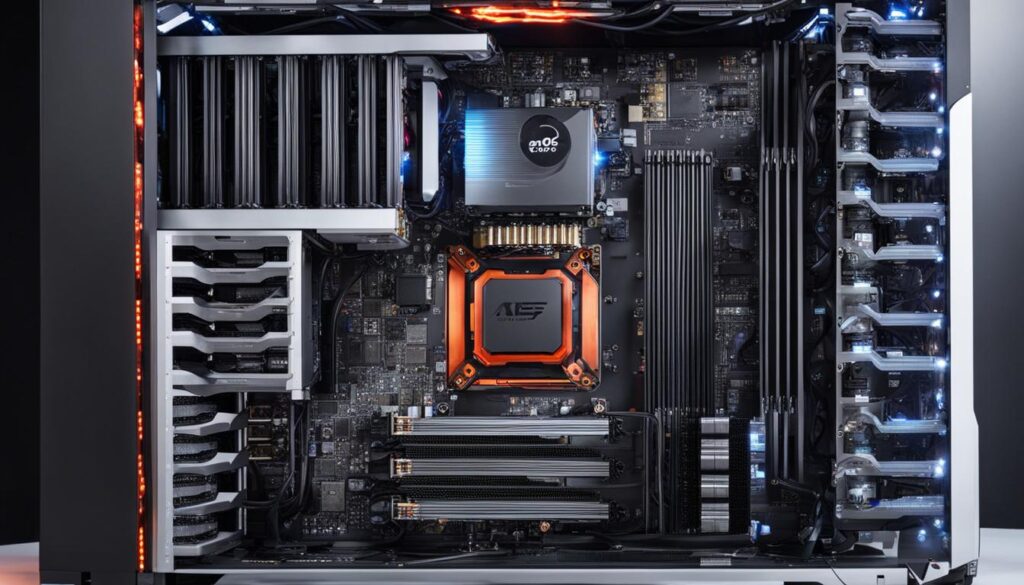
Investing in premium cooling solutions is a wise decision to protect your AI PC and ensure it performs at its best. With adequate cooling, you can unleash the full power of your AI hardware and achieve excellent results in your AI workloads.
Assembling Your AI PC
Now that you have carefully selected all the necessary components for your AI PC, it’s time to put them together and assemble your machine. Follow these steps to ensure a successful build:
- Prepare your workspace: Clear a clean, well-lit area to work on your PC. Make sure you have all the necessary tools handy, such as a screwdriver, cable ties, and thermal paste.
- Refer to the manufacturer’s instructions: Each component comes with its own set of instructions for installation. Take the time to read and follow these instructions carefully, as they provide specific guidance for assembling your AI PC.
- Motherboard installation: Begin by installing the motherboard into the case. Align the screw holes on the motherboard with the standoffs in the case and secure it in place using screws.
- CPU and CPU cooler: Install the CPU onto the motherboard according to the instructions provided. Apply a small amount of thermal paste to the CPU before attaching the CPU cooler. Ensure that the CPU cooler is securely fastened to the motherboard.
- Memory (RAM): Insert the RAM modules into the appropriate slots on the motherboard. Make sure they are properly seated and locked into place.
- Graphics card: Install the graphics card into the designated PCIe slot on the motherboard. Ensure that it is securely connected and properly aligned.
- Storage devices: Connect your SSD or HDD to the motherboard using the appropriate cables and install them into the designated drive bays in the case.
- Power supply: Connect the power supply to the motherboard, ensuring that all necessary cables are properly connected and secured.
- Cable management: Take the time to neatly route your cables to optimize airflow and improve the overall aesthetics of your AI PC. Use cable ties or Velcro straps to secure and organize the cables.
- Double-check connections: Before closing up the case, double-check all connections to ensure that everything is securely connected and in the correct position.
- Close up the case: Once you are satisfied with the assembly, carefully close up the case and secure it with the provided screws.
Remember to take your time during the assembly process and be patient. A well-assembled AI PC ensures optimal performance and longevity for your machine.
Assembling an AI PC requires following proper instructions and ensuring that all components are securely connected and properly aligned. With careful attention to detail, your AI PC will be ready to handle the computational demands of artificial intelligence applications.
Setting Up AI Software on Your PC
Now that you’ve assembled your AI PC, it’s time to install and set up the necessary AI software. This step is crucial to unlock the full potential of your machine for artificial intelligence applications. Follow these guidelines to ensure a successful installation and configuration.
1. Choose the Right Frameworks
Start by selecting the appropriate frameworks for your AI development. Popular choices include PyTorch and TensorFlow, which provide extensive libraries and tools to support various AI tasks. These frameworks offer flexibility and scalability, allowing you to create advanced AI models and algorithms.
2. Install Frameworks and Libraries
Next, follow the provided documentation to download and install the selected frameworks and any additional libraries required for your AI projects. These libraries may include scikit-learn, Keras, or NumPy, among others. Make sure to choose the versions compatible with your PC’s operating system.
3. Configure GPU Acceleration
If your AI PC features a dedicated graphics card with powerful GPU capabilities, you can further optimize your AI software by enabling GPU acceleration. GPU acceleration offloads intensive AI computations from the CPU, resulting in faster training and inference times.
To enable GPU acceleration, refer to the documentation provided by your chosen framework. Typically, this involves installing CUDA, a parallel computing platform, and cuDNN, a GPU-accelerated library for deep neural networks. Both CUDA and cuDNN are essential components for maximizing AI performance on GPUs.
4. Verify Installation and Run Sample Code
After completing the installation and configuration, it’s essential to verify that everything is working correctly. Most AI frameworks provide sample code and tutorials to help you get started. Running these samples allows you to confirm that the software is functioning correctly on your AI PC.
As you execute the sample code, pay attention to any error messages or warnings. These can indicate missing dependencies or compatibility issues. Troubleshoot them accordingly to ensure smooth operation of your AI software.
“Setting up AI software on your PC is a critical step to harnessing the power of artificial intelligence. By carefully selecting and installing the right frameworks, libraries, and GPU acceleration, you can unlock a world of possibilities for your AI projects.”
Summary
Setting up AI software on your PC requires careful consideration and attention to detail. By choosing the right frameworks, installing the necessary libraries, configuring GPU acceleration, and verifying the installation, you can ensure smooth operation and optimal performance for your AI applications. Now that you’ve set up your AI software, it’s time to dive into the exciting world of AI development and innovation!
| Steps for Setting up AI Software on Your PC |
|---|
| 1. Choose the Right Frameworks |
| 2. Install Frameworks and Libraries |
| 3. Configure GPU Acceleration |
| 4. Verify Installation and Run Sample Code |
Optimizing Performance and Troubleshooting
To ensure optimal performance of your AI PC, it’s important to optimize various aspects of your system. By implementing key strategies, you can enhance efficiency and troubleshoot common issues that may arise. Here are some steps to consider:
1. Optimize Software Settings
Adjusting software settings can significantly improve the performance of your AI applications. Take the time to explore the settings of your AI software and experiment with different configurations. Look for options related to memory usage, parallel processing, and hardware acceleration. These settings can vary depending on the software you’re using, so consult the documentation or community forums for specific guidance.
2. Update Drivers Regularly
Outdated or incompatible drivers can cause performance issues and compatibility problems. Regularly check for driver updates for your CPU, graphics card, and other components. Visit the manufacturers’ websites or utilize driver update tools to ensure you have the latest versions installed. Updated drivers often include performance optimizations and bug fixes that can enhance your AI PC’s functionality.
3. Monitor System Resources
Keep an eye on your system’s resource allocation to identify potential bottlenecks. Utilize task manager tools or dedicated system monitoring software to track CPU and GPU usage, memory consumption, and disk activity. Monitoring these resources can help you identify any potential issues and optimize your AI PC’s performance accordingly.
4. Troubleshooting Common Issues
Despite careful planning, issues may still arise while running AI applications. Here are some common problems you may encounter and potential solutions:
“My AI software crashes frequently.”
This could be due to insufficient system resources, incompatible software, or a bug in your AI application. Try closing unnecessary background processes, updating your software to the latest version, and checking online forums or documentation for troubleshooting steps specific to your software.
“I’m experiencing compatibility issues with my AI software.”
Compatibility problems can occur when the software requires certain system specifications that are not met. Verify that your AI software is compatible with your operating system, graphics card, and other components. Consider reaching out to the software developer’s support resources for assistance.
5. Seek Community Support
Don’t hesitate to seek help from online communities or forums dedicated to AI and PC troubleshooting. These platforms often have experienced users who can provide valuable insights and solutions to common issues. Remember to provide detailed information about your system specifications, software versions, and the problem you’re facing to receive accurate assistance.
6. Engage in Continuous Learning
As AI technologies and software evolve, new optimization techniques and troubleshooting methods arise. Stay updated with the latest trends and participate in online courses or technical forums to expand your knowledge. Embracing continuous learning can empower you to optimize your AI PC’s performance and resolve any challenges that come your way.
Upgrading and Scaling Your AI PC
As your AI projects continue to evolve and expand, it’s crucial to ensure that your AI PC can keep up with the growing demands. Upgrading and scaling your AI PC allows you to optimize its performance and accommodate the increasing complexity of AI workloads.
To upgrade and scale your AI PC, consider the following:
1. Adding More RAM
RAM plays a vital role in the smooth operation of AI applications. Adding more RAM to your AI PC can enhance its multitasking capabilities and improve the overall performance, allowing for larger datasets and more complex AI algorithms.
2. Upgrading the CPU or GPU
The CPU and GPU are key components for AI processing. Upgrading to a more powerful CPU or GPU can significantly boost your PC’s computational power, enabling faster AI model training and inference. Consider the latest processors and graphics cards optimized for artificial intelligence workloads.
3. Expanding Storage Capacity
As AI workloads generate large amounts of data, it’s important to have sufficient storage capacity. Consider expanding your storage by adding additional SSDs or HDDs to accommodate growing datasets, models, and other AI-related files.
4. Optimizing Cooling Solutions
With the increased computational demands of AI workloads, proper cooling is essential to prevent overheating and maintain performance. Upgrade your cooling solutions, such as CPU and GPU coolers and case fans, to ensure optimal temperature management.
By upgrading and scaling your AI PC, you can unleash its full potential and tackle more ambitious AI projects. Plan for future upgrades and scalability to stay ahead in the rapidly evolving field of artificial intelligence.
Upgrading and scaling your AI PC allows you to optimize its performance and accommodate the increasing complexity of AI workloads.
Conclusion
In conclusion, building a $1000 PC optimized for running artificial intelligence software is a realistic endeavor. By carefully selecting the right components and following proper assembly techniques, you can create a powerful machine that meets the demands of AI workloads.
When choosing components for your AI PC, consider the importance of a well-designed case that balances aesthetics and functionality. Additionally, prioritize a powerful CPU and graphics card to ensure efficient AI processing. Ample RAM and the right storage solutions are also crucial for smooth operation and data accessibility.
Once your AI PC is assembled, don’t forget to optimize its performance by updating drivers, monitoring resources, and troubleshooting any issues that may arise. Additionally, consider the potential need for future upgrades and scalability as your AI projects grow and evolve.
With your $1000 AI PC ready, you can unlock the potential of artificial intelligence and embark on exciting ventures in various fields. Whether you’re conducting research, developing cutting-edge applications, or exploring machine learning algorithms, your optimized AI PC will be the foundation for your accomplishments. Start today and unleash the power of artificial intelligence!
FAQ
Can I build a powerful PC optimized for running artificial intelligence software within a $1000 budget?
Yes, with a budget of $1000, you can create a machine that delivers reliable performance for AI applications.
What are the key components to consider when building an AI PC?
The key components to consider when building an AI PC include the case, motherboard, power supply, CPU, graphics card, RAM, and storage.
How does the PC case affect the performance of an AI PC?
The PC case sets the tone for the entire build in terms of aesthetics and functionality. Investing in a visually appealing case with ample space for components and good airflow can enhance the overall experience of using your AI PC.
What is the importance of selecting the right CPU for AI workloads?
The CPU is a crucial component for AI workloads. It is essential to select a powerful CPU that can handle the computational requirements of AI algorithms for optimal performance.
Which graphics card should I choose for AI processing in my PC?
Selecting a high-performance graphics card, such as the Nvidia GeForce GTX 1070 or RTX 3090, can significantly accelerate AI processing in your PC.
How does RAM play a role in AI workloads?
RAM plays a critical role in AI workloads as it allows for fast data access and processing. Having enough RAM is essential to ensure smooth operation and avoid bottlenecks in your AI applications.
What storage solution should I choose for my AI PC?
While an SSD provides faster data access, larger capacity HDDs may be necessary for storing and accessing large datasets and model files used in AI workloads. It is important to choose the right storage solution based on your specific needs.
How important is a robust power supply for an AI PC?
A robust power supply is essential to provide stable and reliable power to your AI PC. Investing in a high-quality power supply with sufficient wattage can prevent power fluctuations and ensure the smooth operation of your AI applications.
What role does cooling play in an AI PC?
Proper cooling is crucial for an AI PC as AI workloads can generate significant heat. Investing in adequate cooling solutions, such as CPU and GPU coolers, case fans, and efficient airflow design, can prevent overheating and ensure optimal performance.
How do I assemble my AI PC?
After selecting the necessary components, follow the manufacturer’s instructions and ensure proper cable management to optimize airflow and minimize the risk of component damage.
How do I set up AI software on my PC?
After assembling your AI PC, it’s time to install and set up the necessary AI software. This may include frameworks like PyTorch or TensorFlow and specific libraries for AI development. Follow the provided documentation to ensure a successful installation.
How can I optimize performance and troubleshoot issues with my AI PC?
To optimize the performance of your AI PC, consider optimizing software settings, updating drivers, and monitoring system resources. Troubleshooting common issues, such as software crashes or compatibility problems, can help ensure smooth operation of your AI applications.
Can I upgrade and scale my AI PC in the future?
Yes, as your AI projects grow and evolve, you may need to upgrade or scale your AI PC. This could involve adding more RAM, upgrading the CPU or GPU, or expanding storage capacity. Planning for future upgrades and scalability is essential to accommodate the growing demands of AI workloads.
Can I build a $1000 AI PC that meets the requirements for running artificial intelligence software?
Yes, building a $1000 PC optimized for running artificial intelligence software is an achievable goal. By carefully selecting the right components, assembling the PC, and optimizing performance, you can create a powerful machine that delivers reliable AI processing capabilities.