
Building your own Deep Learning Computer is a cost-effective alternative to using cloud services for running AI software. With an estimated total cost of approximately $3000, you can create a powerful PC that delivers optimal performance for your AI applications.
This article will provide a detailed guide on selecting the right components for your AI PC build. From choosing the right CPU and GPU to storage and memory considerations, we’ll help you build a PC that can efficiently run your AI software without breaking the bank.
Key Takeaways:
- Building your own AI PC offers cost-effective solutions for running AI software.
- A $3000 budget allows for the selection of high-performance components for optimal AI performance.
- Key components to consider include CPU, GPU, storage, and memory.
- NVIDIA GPUs are commonly recommended for their compatibility with popular AI software.
- Proper cooling and airflow are essential when using multiple GPUs in an AI PC build.
The Importance of CPU, GPU, Storage, and Memory in AI PC Build
When building an AI PC, the selection of the CPU, GPU, storage, and memory plays a crucial role in achieving optimal performance. Let’s delve into the significance of each component:
CPU: Cores and Threads
The CPU (Central Processing Unit) is the brain of your AI PC. It should have enough cores and threads to support the computational demands of AI software. More cores and threads allow for parallel processing, enhancing the speed and efficiency of AI model training.
For example, the AMD Ryzen 9 5900X with 12 cores and 24 threads or the Intel Core i9-10900K with 10 cores and 20 threads would be excellent choices for AI workloads.
GPU: Power and Memory
The GPU (Graphics Processing Unit) is responsible for executing the complex mathematical computations required for AI training. It needs sufficient power and memory to handle the massive datasets and intensive calculations involved.
High-performance GPUs like the NVIDIA GeForce RTX 3080 or the AMD Radeon RX 6900 XT offer superior processing power and ample memory, enabling faster AI model training and enhanced accuracy. With their advanced architecture and dedicated AI cores, these GPUs empower AI developers to unlock the full potential of their models.
Storage: Speed and Capacity
Fast and spacious storage is essential for handling the large datasets used in AI applications. Solid State Drives (SSDs) are highly recommended for their faster data transfer rates, which accelerate training times and reduce latency.
An M.2 PCIe NVMe SSD, such as the Samsung 980 PRO or Western Digital Black SN750, provides lightning-fast storage performance, ensuring quick access to data during training and inference.
Memory: Handling Large Datasets
Ample memory or RAM (Random Access Memory) is crucial to handle the vast amounts of data used in AI processing. The larger the datasets, the more memory is required to store and manipulate them efficiently.
Opt for a high-capacity DDR4 memory module, such as the Corsair Vengeance RGB PRO or G.Skill Trident Z, with capacities ranging from 16GB to 64GB, depending on your specific AI workload.
To summarize, the CPU, GPU, storage, and memory are the backbone of an AI PC build. They work together synergistically, allowing you to harness the full potential of AI software and achieve optimal performance.
Disclaimer: For illustration purposes only. Actual performance may vary depending on the specific components chosen and individual system configurations.
| Component | Recommended Models |
|---|---|
| CPU | AMD Ryzen 9 5900X Intel Core i9-10900K |
| GPU | NVIDIA GeForce RTX 3080 AMD Radeon RX 6900 XT |
| Storage | Samsung 980 PRO Western Digital Black SN750 |
| Memory | Corsair Vengeance RGB PRO G.Skill Trident Z |
Considerations for GPU Selection in AI PC Build
When building an AI PC, one of the most crucial decisions you’ll make is choosing the right GPU. The GPU plays a vital role in the performance of AI software and training models. To ensure optimal performance, it’s essential to consider several factors.
GPU Memory: AI models often require large amounts of memory to handle complex computations. When selecting a GPU, pay attention to the memory capacity. Look for GPUs with ample memory to accommodate the size of your AI models.
Performance: The performance of the GPU is another critical factor to consider. Faster GPUs can significantly improve training time and overall AI software performance. NVIDIA GPUs are highly recommended for AI PC builds due to their compatibility with popular software tools like TensorFlow and PyTorch.
Range of Options: NVIDIA offers a range of GPU models to suit different budgets and requirements. High-end options like the Titan RTX and 2080 Ti provide exceptional performance and memory capacity for intensive AI workloads. If you’re on a budget, options like the 2060 Super offer good performance at a more affordable price point.
To help you visualize the differences between various GPU models, here is a comparison of some popular NVIDIA models:
| GPU Model | Memory Capacity | Performance | Price |
|---|---|---|---|
| Titan RTX | 24GB | Top-of-the-line | Approx. $2499 |
| 2080 Ti | 11GB | High-end | Approx. $1199 |
| 2060 Super | 8GB | Mid-range | Approx. $399 |
Please note that GPU availability may vary, so it’s important to research and check for availability before making a purchase.
Considering these factors and comparing different GPU models will help you make an informed decision when selecting a GPU for your AI PC build.
CPU Considerations for AI PC Build
When building an AI PC, the CPU is a crucial component that requires careful consideration. The CPU plays a vital role in handling the computational workload and ensuring optimal performance for AI software. To achieve this, it is essential to select a CPU with multiple cores and threads to handle the demanding tasks efficiently.
One excellent option for AI PC builds is the AMD CPU lineup, which offers a great balance between performance and value compared to Intel CPUs. Models like the AMD Ryzen Threadripper 1920X and 2920X are popular choices among AI enthusiasts.
The AMD Ryzen Threadripper 1920X features 12 cores and 24 threads, providing ample power for AI applications. With a base clock speed of 3.5GHz and a boost clock speed of 4.0GHz, it delivers impressive performance for AI software.
For those seeking even higher performance, the AMD Ryzen Threadripper 2920X offers 12 cores and 24 threads with a base clock speed of 3.5GHz and a boost clock speed of 4.3GHz. This CPU is an excellent choice for AI PC builds that require enhanced processing power.
When considering the CPU for an AI PC build, it’s also crucial to ensure compatibility and scalability. If you plan to expand your AI PC with multiple GPUs in the future, make sure to choose a CPU with enough PCIe lanes to support the additional graphics cards.
AMD Ryzen Threadripper 1920X Specifications
| CPU Model | Cores/Threads | Base Clock Speed | Boost Clock Speed |
|---|---|---|---|
| AMD Ryzen Threadripper 1920X | 12/24 | 3.5GHz | 4.0GHz |
AMD Ryzen Threadripper 2920X Specifications
| CPU Model | Cores/Threads | Base Clock Speed | Boost Clock Speed |
|---|---|---|---|
| AMD Ryzen Threadripper 2920X | 12/24 | 3.5GHz | 4.3GHz |
Choosing the right CPU is crucial for achieving optimal performance in an AI PC build. By considering factors such as the number of cores, threads, and compatibility with multiple GPUs, you can ensure that your AI PC is capable of handling the demanding computational requirements of AI software effectively.
Storage and Memory Considerations for AI PC Build
When building an AI PC, it is essential to carefully consider the storage and memory options to ensure fast and efficient performance. The storage should be M.2 PCIe, allowing for lightning-fast data transfer and reducing bottlenecks in processing power. This ensures that the AI software can access the necessary data quickly, resulting in smoother and more responsive performance. Additionally, the storage should be spacious enough to accommodate large datasets, ensuring that you have ample room to store and access all the data required for your AI projects.
The memory, on the other hand, should be DDR4, as it offers higher bandwidth and faster data transfer rates compared to its predecessors. This allows for faster data processing and better multitasking capabilities, which are crucial for AI applications. It is important to choose memory modules that have sufficient capacity to handle the requirements of your AI models, especially when working with uncompressed datasets. The large memory capacity ensures that your PC can efficiently handle the computational demands of training and running complex AI algorithms.
A recommended starting point for storage is a 1TB SSD, which provides a good balance between speed and storage capacity. This allows for quick access to frequently used data while still providing enough space for storing large datasets. However, keep in mind that AI projects often require a significant amount of storage, so additional drives can easily be added later to expand the storage capacity of your AI PC.
In terms of memory, the size should be determined based on the specific needs of your AI projects and datasets. DDR4 memory modules are available in various capacities, and it is advisable to choose a memory size that can comfortably handle your AI workload. The larger the dataset, the more memory you will need to ensure smooth and efficient performance.
By carefully considering the storage and memory options when building your AI PC, you can create a powerful and efficient system that is capable of handling the demands of AI software. The combination of fast M.2 PCIe storage and ample DDR4 memory will contribute to faster data processing, smoother multitasking, and overall improved performance in your AI projects.
Building an Expandable AI PC with Multiple GPUs
When building an AI PC, it’s important to keep future scalability in mind. An expandable AI PC that can support multiple GPUs offers flexibility for future upgrades and increased performance. To achieve this, it’s crucial to ensure CPU compatibility and the availability of enough PCIe lanes for the required number of GPUs.
Starting with one or two GPUs and gradually adding more as needed is a popular approach. This allows users to avoid overinvestment while still having the ability to scale up their AI workload. However, it’s essential to choose a CPU that can support the desired number of GPUs.
For an expandable AI PC with multiple GPUs, it’s important to select a motherboard that has the necessary slots and spacing to accommodate the GPUs securely. This ensures proper installation and optimal performance. With the right components and careful planning, building an expandable AI PC with multiple GPUs can offer a powerful and versatile computing solution for AI applications.
“An expandable AI PC provides the flexibility to accommodate future needs and upgrades, allowing users to scale their GPU power as their AI workloads grow.”
To illustrate the requirements for an expandable AI PC with multiple GPUs, here is a table showcasing compatible CPUs and the number of PCIe lanes they provide:
| CPU Model | PCIe Lanes |
|---|---|
| AMD Ryzen 9 5950X | 24 |
| Intel Core i9-10900K | 16 |
| AMD Threadripper 3990X | 64 |
| Intel Core i7-11700K | 16 |
Additionally, here is a list of motherboards known for their compatibility with multiple GPUs:
- ASUS ROG Strix X570-E Gaming
- GIGABYTE X570 AORUS Master
- MSI MEG X570 ACE
- ASRock X570 Taichi
With the right combination of compatible CPUs and motherboards, users can harness the power of multiple GPUs for enhanced AI performance and efficient training of machine learning models.
Ensuring CPU Compatibility
When selecting a CPU for an expandable AI PC, it’s essential to consider the number of PCIe lanes it provides. More PCIe lanes allow for the installation of multiple GPUs without sacrificing performance.
For example, the AMD Ryzen 9 5950X and the AMD Threadripper 3990X offer a high number of PCIe lanes, making them ideal choices for AI PC builds that require multiple GPUs. On the other hand, CPUs with fewer PCIe lanes, like the Intel Core i7-11700K, may limit the expansion potential of the AI PC.
Selecting the Right Motherboard
Choosing a motherboard that supports multiple GPUs is crucial for an expandable AI PC. The motherboard should have enough PCIe slots and spacing to accommodate the GPUs securely.
Additionally, it’s important to ensure that the motherboard’s BIOS and firmware support the desired CPU and GPU combination. This compatibility is crucial for optimal performance and stability.
Cost Savings of Building an AI PC
When it comes to building an AI PC, one of the biggest advantages is the significant cost savings it offers compared to buying pre-built systems or using cloud services. By opting for a DIY approach, individuals and organizations can save a substantial amount of money while still achieving the desired performance.
Let’s delve into some numbers to understand the potential cost savings. Building a 4-GPU system for AI purposes can cost around $6600, considering the expenses involved for high-quality components like the CPU, GPU, storage, and memory. On the other hand, a similar pre-built system designed for AI tasks can set you back around $7999.
This means that building your own AI PC can result in cost savings of up to 20%. This substantial difference in price can make a significant impact, especially for those working on a tight budget or seeking to maximize their resources.
However, it’s important to consider a few factors beyond the initial cost when deciding between buying and building. While building an AI PC may be cheaper upfront, it may not come with the warranty, support, or pre-installed software that a pre-built system offers. It’s crucial to weigh these aspects and determine which factors are most important for your specific needs and priorities.
| Component | Estimated Cost of Building | Cost of Pre-built System |
|---|---|---|
| CPU | $500 | $600 |
| GPU | $2000 | $2500 |
| Storage | $200 | $300 |
| Memory | $200 | $250 |
| Total | $6600 | $7999 |
While the exact cost may vary depending on specific component choices and market fluctuations, the estimated cost of building versus buying clearly demonstrates the potential for cost savings by taking the DIY route.

By building your own AI PC, you not only save money but also gain the satisfaction of customizing your machine to meet your specific requirements. Additionally, you have the flexibility to upgrade individual components as needed, ensuring your system stays up-to-date with the latest advancements in AI technology.
In conclusion, cost savings are a significant advantage when it comes to building an AI PC. By carefully considering the costs involved and comparing them to pre-built options, individuals and organizations can make an informed decision that aligns with their budget and performance needs.
Ordering and Assembling AI PC Components
When it comes to building an AI PC, ordering and assembling the right components is essential to ensure compatibility and optimal performance. To simplify the process and find the best prices, we recommend using PCPartPicker.com. This powerful online tool allows you to select AI PC components based on your specific requirements and provides a comprehensive list of compatible options.
Once you’ve finalized your component choices, it’s time to order them from reputable resellers. Retailers like Bandh, Adorama, Newegg, and Amazon offer a wide selection of AI PC components, ensuring you have access to all the necessary parts. These resellers are known for their reliability, competitive pricing, and excellent customer service.
With all the components in hand, it’s time to assemble your AI PC. Remember to carefully follow the compatibility and installation instructions provided for each part. This will ensure that the components are correctly seated, connected, and configured for optimal performance.
Now, let’s take a look at the following table, which summarizes the essential AI PC components you’ll need:
| Component | Brand/Model |
|---|---|
| CPU | AMD Ryzen 9 5900X |
| GPU | NVIDIA GeForce RTX 3080 |
| Storage | Samsung 980 Pro 1TB NVMe SSD |
| Memory | G.Skill Trident Z Neo 32GB (2 x 16GB) DDR4-3600 CL16 |
| Motherboard | ASUS ROG Strix X570-E Gaming |
| Power Supply | EVGA SuperNOVA 850 G2 80+ Gold |
| Case | NZXT H710i |
The table above provides a starting point for your AI PC build. However, keep in mind that component availability may vary, so it’s always a good idea to check for alternative options or newer releases that may better suit your needs and budget.
Now that you have a clear understanding of the ordering and assembling process, let’s move on to the next section and explore GPU cooling and airflow considerations in an AI PC build.
Considerations for GPU Cooling and Airflow in AI PC Build
In an AI PC build, proper GPU cooling and airflow are crucial to ensure optimal performance, especially when multiple GPUs are used. The heat generated by intensive AI tasks can cause GPUs to overheat, leading to decreased performance and potential damage to the components.
To maintain an optimal operating temperature for your GPUs, it is recommended to use blower-style fans. Blower-style fans are designed to expel hot air directly out of the PC case, preventing heat buildup. This is particularly important when multiple GPUs are installed, as they generate a significant amount of heat.
Additionally, the computer case plays a vital role in maintaining efficient airflow. Look for cases with ample ventilation and strategically placed dust filters to ensure a steady flow of cool air to the GPU fans. Good airflow helps dissipate heat effectively and prevents components from reaching critical temperatures.
In the image above, you can see an example of a blower-style fan installed on a GPU. The design of this fan ensures that hot air is exhausted out of the PC case, preventing it from recirculating and causing temperature spikes.
To further illustrate the importance of GPU cooling and airflow in an AI PC build, consider the following table:
| GPU Cooling Method | Advantages | Disadvantages |
|---|---|---|
| Blower-Style Fans |
|
|
| Open-Air Cooling |
|
|
As seen in the table, blower-style fans offer the advantage of direct hot air exhaust, which is crucial for AI PC builds, especially when multiple GPUs are involved. While they may be slightly noisier and have slightly reduced cooling capacity compared to other methods, their ability to prevent heat buildup makes them the recommended cooling solution for AI PC builds.
By ensuring proper GPU cooling and airflow, you can maintain optimal performance and prolong the lifespan of your AI PC components, allowing for efficient training and execution of AI models.
Common Pitfalls to Avoid in AI PC Build
When building an AI PC, it’s important to be aware of and avoid common pitfalls to ensure a successful and efficient system. By understanding and addressing these pitfalls, you can save time, money, and avoid potential headaches. Here are some key pitfalls to watch out for:
Limited PCIe Lanes for GPU Installation
One common mistake is not ensuring sufficient PCIe lanes for installing your GPUs. PCIe lanes are essential as they provide the necessary bandwidth for data transfer between the CPU and the GPU. Insufficient PCIe lanes can lead to performance bottlenecks and hinder the overall capabilities of your AI PC. It’s crucial to select a motherboard and CPU combination that offers enough PCIe lanes to accommodate multiple GPUs if needed.
Inadequate GPU Memory for AI Models
Another pitfall is choosing GPUs with insufficient memory to handle your AI models effectively. AI models require a significant amount of memory for storing and processing large datasets. Opt for GPUs with ample memory capacity to avoid memory-related limitations during training and inference stages. Be mindful of the memory requirements of your specific AI applications and choose GPUs accordingly.
Lack of Support for Multiple GPUs
Building an AI PC that can support multiple GPUs offers the potential for increased performance and scalability. However, not all motherboards and cases are designed to accommodate multiple GPUs. It is essential to select a motherboard that provides sufficient PCIe slots and spacing for the number of GPUs you plan to install. Additionally, ensure the case has proper ventilation and clearance to prevent overheating issues.
Inadequate Power Supply
Underestimating the power requirements of your AI PC can result in stability issues and even system failures. GPUs, in particular, consume a significant amount of power, and multiple GPUs further increase the demand. It’s crucial to invest in a high-quality power supply unit (PSU) with sufficient wattage to comfortably handle the power requirements of your components. Consult the manufacturer’s recommendations for GPU power consumption and choose a PSU accordingly to avoid any power-related pitfalls.
CPU Cooler Blocking GPU Slots
When selecting a CPU cooler for your AI PC, make sure it doesn’t obstruct the GPU slots on the motherboard. Some CPU coolers, especially larger ones, can be bulky and interfere with the adjacent PCIe slots. This can potentially limit the number of GPUs you can install or cause installation issues. Consider the dimensions and compatibility of your chosen CPU cooler to ensure it doesn’t interfere with the GPU installation.
Lack of Compatibility Between CPU and GPU
Compatibility between the CPU and GPU is crucial for optimal performance in an AI PC build. Ensure that the CPU and GPU you choose are compatible, both in terms of physical socket compatibility and software requirements. Check the specifications and compatibility lists provided by the CPU and GPU manufacturers to avoid any incompatibility pitfalls. This will ensure smooth integration and efficient operation of your AI PC.
By being aware of these common pitfalls and taking the necessary precautions, you can significantly increase the chances of building a successful AI PC with optimal performance. Now, let’s take a look at a table summarizing these pitfalls and the recommended solutions:
| Pitfall | Recommended Solution |
|---|---|
| Limited PCIe Lanes for GPU Installation | Choose a motherboard and CPU combination that offers sufficient PCIe lanes to support your desired number of GPUs. |
| Inadequate GPU Memory for AI Models | Select GPUs with enough memory capacity to handle the memory requirements of your AI models. |
| Lack of Support for Multiple GPUs | Choose a motherboard and case that can accommodate the number of GPUs you plan to install, ensuring proper spacing and cooling. |
| Inadequate Power Supply | Invest in a high-quality power supply unit (PSU) with sufficient wattage to meet the power demands of your components. |
| CPU Cooler Blocking GPU Slots | Select a CPU cooler that doesn’t obstruct the GPU slots on the motherboard to avoid installation issues. |
| Lack of Compatibility Between CPU and GPU | Ensure compatibility between the CPU and GPU in terms of physical socket compatibility and software requirements. |
By addressing these common pitfalls and following the recommended solutions, you can build a robust and efficient AI PC without encountering unnecessary problems. Stay vigilant throughout the building process to ensure a successful outcome.
Alternative Options for AI PC Build
While building an AI PC offers cost-effectiveness and customization, there are alternative options available for those seeking different routes. Two popular alternatives are Google’s Tensor Processing Units (TPUs) and pre-built machines. These options provide distinct advantages and considerations to keep in mind when making a decision.
Google TPU
Google’s TPUs are custom-built processors designed specifically for machine learning tasks. They deliver exceptional performance and efficiency, enabling faster AI computations. However, it’s important to note that TPUs may not offer significant cost savings compared to building your own AI PC. The pricing structure and availability of TPUs should be carefully evaluated to determine if they align with your budget and performance requirements.
Pre-Built Machines
If building a PC from scratch seems daunting or time-consuming, pre-built machines can be a convenient option. These machines come fully assembled and ready to use, saving you the hassle of selecting and assembling individual components. However, pre-built machines tend to be more expensive than building your own AI PC, as the cost of labor and pre-installed software is factored into the price. When considering a pre-built machine, it’s important to evaluate your budget and specific needs to ensure that it meets your requirements.
When choosing an alternative option for your AI PC build, it’s crucial to assess your specific needs and budget constraints. Whether you opt for Google TPUs or pre-built machines, understanding the advantages and limitations of each option will help you make an informed decision. Building a PC offers cost-effectiveness and customization, while alternative options provide convenience and specific hardware advantages. Analyze your requirements, weigh the pros and cons, and choose the option that best aligns with your goals.
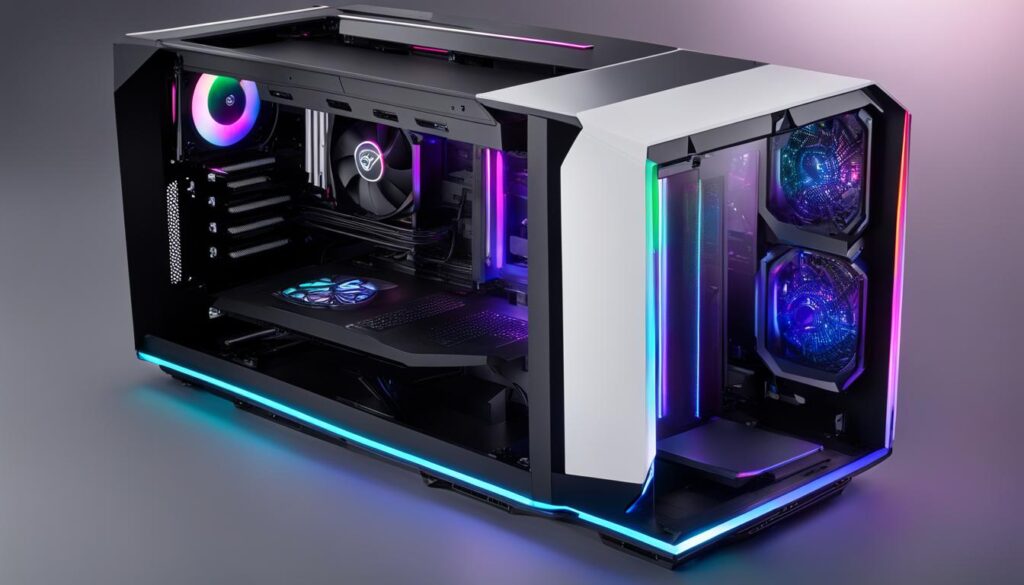
| Option | Advantages | Considerations |
|---|---|---|
| Building an AI PC |
|
|
| Google TPU |
|
|
| Pre-built Machines |
|
|
Benefits of Building a Budget-Friendly AI PC
Building a budget-friendly AI PC offers numerous benefits in terms of performance and flexibility. This approach allows individuals and organizations to train AI software with optimal performance while staying within a limited budget. Compared to alternatives like cloud services or pre-built machines, building a budget-friendly AI PC provides cost savings and customization options. With careful component selection, a well-designed budget-friendly build can deliver comparable performance to more expensive options.
By building a budget-friendly AI PC, you can enjoy the following benefits:
- Cost savings: Building an AI PC is more budget-friendly compared to purchasing pre-built systems or relying on cloud services. This cost-effective approach allows you to allocate resources more efficiently.
- High-performance AI software training: Despite being budget-friendly, a well-designed AI PC can offer optimal performance for AI software training. This ensures efficient processing and faster training times for AI models.
- Flexibility for upgrades and customization: Building your own AI PC provides the advantage of flexibility. You have the freedom to upgrade components as needed and customize the PC based on your specific requirements.
Building a budget-friendly AI PC gives you the best of both worlds – affordability and performance. With careful planning and component selection, you can achieve remarkable results at a fraction of the cost of high-end options.
Investing in a budget-friendly AI PC empowers individuals and organizations with the opportunity to explore the potential of artificial intelligence without breaking the bank. Whether you are a student, researcher, or AI enthusiast, a well-crafted budget-friendly build can pave the way for success.
Cost Comparison – Building vs. Pre-Built AI PC
| Component | Building a Budget-Friendly AI PC | Purchasing a Pre-Built AI PC |
|---|---|---|
| CPU | $400 | $550 |
| GPU | $800 | $1000 |
| Storage | $200 | $250 |
| Memory | $150 | $200 |
| Total | $1550 | $2000 |
Conclusion
Building a $3000 PC for running AI software offers a cost-effective solution that provides optimal performance. By carefully selecting the right components like CPU, GPU, storage, and memory, an AI PC can be built to meet specific needs and budget constraints.
The cost savings compared to buying pre-built systems or using cloud services make building an AI PC a viable option for individuals and organizations looking to unlock the potential of artificial intelligence. With a DIY approach, you have the flexibility to customize and upgrade your system as needed, ensuring that it remains up-to-date with the latest advancements in AI technology.
Whether you’re a machine learning enthusiast, a data scientist, or a business looking to leverage AI capabilities, investing in an AI PC build can provide you with the power and performance needed to tackle complex AI tasks. With careful planning and research, you can create a high-performing AI workstation that fits your budget and delivers optimal results for your AI projects.
FAQ
Is building your own Deep Learning Computer cost-effective compared to using cloud services for running AI software?
Yes, building your own Deep Learning Computer is a cost-effective alternative to using cloud services for running AI software.
What are the crucial components in an AI PC build?
The crucial components in an AI PC build are the CPU, GPU, storage, and memory.
What should be considered when selecting a GPU for an AI PC build?
The GPU should have enough memory to handle AI models efficiently and be fast enough for training.
What CPU considerations are important for an AI PC build?
The CPU should have multiple cores and threads to handle the computational workload effectively.
What should be considered for storage and memory in an AI PC build?
The storage should be fast and spacious, and the memory should be large enough to handle large datasets.
How can an AI PC support multiple GPUs for future expansion?
The AI PC should have enough PCIe lanes to support multiple GPUs, and the motherboard should have the necessary slots and spacing for proper installation.
How much cost savings can be expected by building an AI PC compared to buying pre-built systems or using cloud services?
The cost savings can be up to 20% when building your own AI PC.
Where can the necessary components for an AI PC build be found?
Reputable resellers like Bandh, Adorama, Newegg, and Amazon can provide the necessary components.
What considerations should be made for GPU cooling and airflow in an AI PC build?
Proper GPU cooling and airflow are crucial, especially when multiple GPUs are used. Blower-style fans and cases with sufficient ventilation and dust filters can help maintain optimal cooling and airflow.
What are some common pitfalls to avoid in an AI PC build?
Common pitfalls to avoid in an AI PC build include ensuring sufficient PCIe lanes for GPU installation, choosing GPUs with enough memory, selecting motherboards and cases that can support multiple GPUs, and ensuring compatibility between CPU and GPU.
What are some alternative options for an AI PC build?
Alternative options for an AI PC build include Google’s Tensor Processing Units (TPUs) and pre-built machines.
What are the benefits of building a budget-friendly AI PC?
Building a budget-friendly AI PC offers cost savings compared to alternatives like cloud services or pre-built machines, flexibility for future upgrades, and comparable performance to more expensive options.