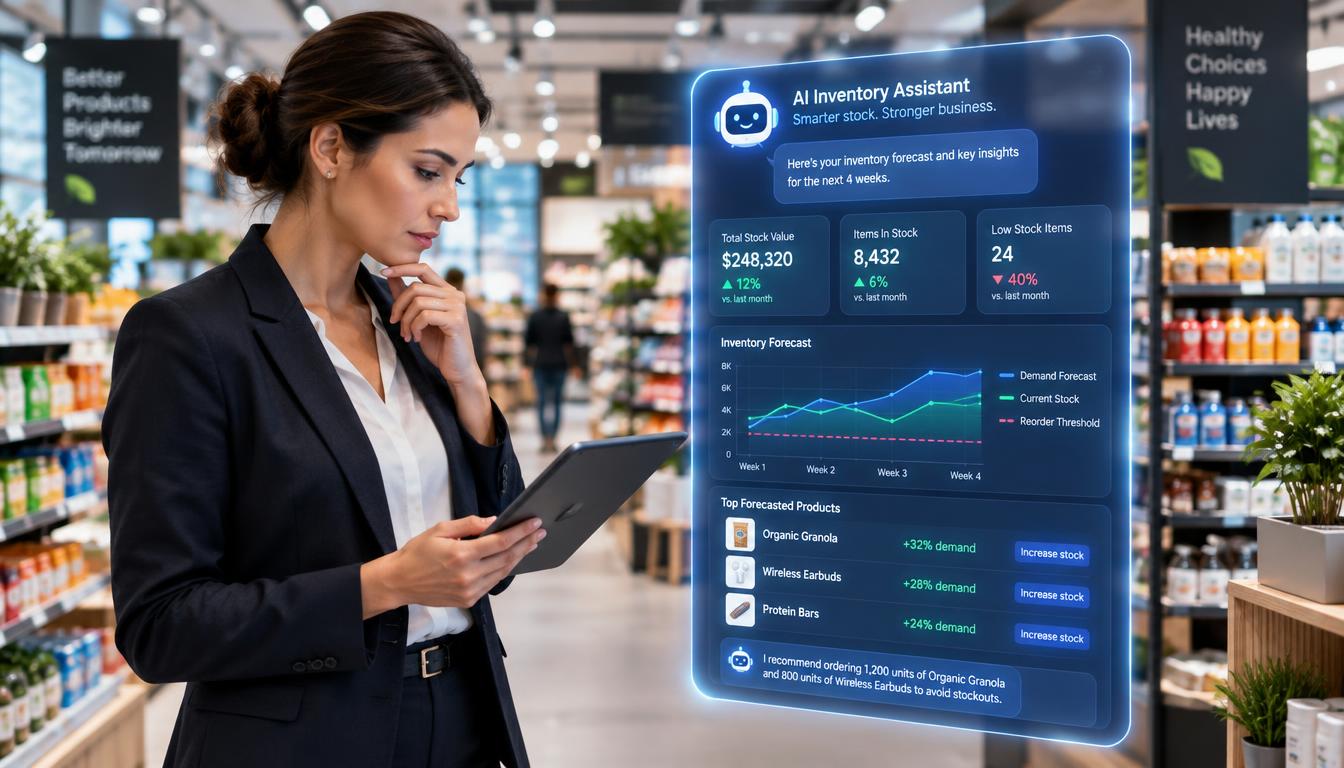
A customer gets a useful answer from a chatbot while a store manager checks tomorrow’s inventory forecast, two routine moments where AI can already help. These artificial intelligence applications now support work across many industries. Some software assists with a task, while other systems recommend or make decisions. Artificial intelligence, or AI, can help users save time, find useful patterns, and handle routine work.
This guide covers practical uses in customer service, marketing, finance, operations, healthcare, and daily life. The examples can help you see where the technology fits, what it can do, and where a person still matters. You will also find ways to assess whether a tool solves a real problem. The best application is the one that solves a specific problem without making the work harder to check.
Key Takeaways
- AI can assist with tasks or support decisions.
- Different AI methods work with text, images, numbers, and actions.
- People should review high-impact outputs before acting on them.
- A small pilot can show whether a tool saves time or improves results.
- Clear goals and cost limits help keep an AI project on track.
What Do Artificial Intelligence Applications Do?
Most AI applications take in text, images, numbers, or instructions and return a prediction, recommendation, generated item, or action. Pattern recognition is the process of finding recurring relationships in data so a system can classify, flag, or predict outcomes. AI turns inputs into useful outputs, but people still need to judge what those outputs mean.
Five applications of artificial intelligence use different methods to handle common kinds of information. Together, these five areas answer the request for five applications; the article’s ten use cases are practical tasks across the later sections.
Five Practical Areas of AI
Natural language processing, or NLP, helps computers work with human language. It supports translation, spam filtering, chatbots, and sentiment analysis, which estimates the feeling behind a message. Computer vision reads visual content to find objects or help examine medical images.
Machine learning finds patterns in examples and data. Predictive analytics uses those patterns to estimate what may happen next, supporting fraud detection and recommendations. Generative AI is AI that creates new content from prompts, such as text or images.
Robotics combines software with machines that can act in the physical world. It supports manufacturing and healthcare tasks, from moving parts to assisting with some procedures. The table shows how each area turns a different input into a specific task.
| AI area | Typical input | Task | Example |
|---|---|---|---|
| NLP | Written customer message | Identify the message’s topic | Chatbot answers a support question |
| Computer vision | Image of a product | Find visible damage | Factory flags a scratched item |
| Machine learning | Past sales by day | Estimate future sales | Store plans next week’s stock |
| Generative AI | Prompt for a product email | Create a text draft | Marketer edits a campaign draft |
| Robotics or automation | Part location and task steps | Move or assemble a part | Robot arm places a component |
How AI Agents Handle Multi-Step Tasks
An AI agent is an AI system that can take actions across multiple steps. It might read a request, search files, draft a response, and update a record. That broader role can save time, but each step gives the system another chance to make an error.
On the OSWorld benchmark, AI agents’ task success rose from 12 percent to about 66 percent. In 2026, agents still failed roughly one in three attempts on structured benchmarks. OSWorld task success reached about 66 percent, but a strong score does not make an agent dependable in every setting.
Treat an agent’s completed task as a draft until a person checks the result, especially when the next step affects a customer or a record.
An agent can complete a sequence while missing a detail that matters to your business. Keep the steps visible, and make it clear which actions require a person’s approval.
How Does AI Show Up in Daily Life?
A route suggestion that changes after a traffic slowdown is one everyday sign that software is analyzing new information as it arrives. AI features often sit inside services you already use, so the technology can be easy to miss. Many familiar applications use AI without asking you to open a separate AI tool.
Generative AI use outside work reached about 50 percent of the U.S. population in November 2025. By early 2026, the annual value of generative AI tools to U.S. consumers was estimated at $172 billion. Non-work use reached about 50 percent, while many daily features rely on methods other than content generation.
Voice Assistants and Smart-Home Controls
Voice assistants use language processing to respond to spoken requests, and speech-to-text turns speech into written words. Smart thermostats can learn temperature preferences and routines, then adjust settings around familiar patterns. These features do not all use generative AI.
Here are five pairs of daily-life uses, ten examples in all:
- Voice assistants answer spoken requests, and speech-to-text captures spoken words.
- Music recommendations suggest songs, and shopping recommendations show products.
- Traffic-aware navigation avoids congestion, and route updates respond to changing road conditions.
- Smart thermostats adjust home settings, and security alerts can identify people, pets, or packages.
- Email spam filters sort unwanted messages, and photo tools organize images by visual details.
Recommendations, Navigation, and Security
Navigation apps use traffic information to help you avoid congestion. Streaming services personalize music recommendations, while shopping systems may consider browsing history, past purchases, and real-time interactions.
AI security cameras can distinguish people, pets, and packages, which may make alerts more useful. Each system has a different job: some classify information, some predict what you may want, and some respond to new conditions.
These services can also collect information that feels personal, such as where you go or which photos you keep. Check an app’s privacy controls before enabling access to location, microphone, photos, or other personal information.
Where Can AI Help Customer-Facing Teams?
A small support team can use a chatbot to handle repeat questions while a human takes over an account-specific problem. These tools can draft replies, organize follow-up, and help staff sort prospects. Support bots work best on common questions answered by approved support content.
They should pass unusual or sensitive cases to staff, rather than guess. Human support matters when a customer’s situation does not match the help materials or needs a careful response.

Customer Support and Meeting Follow-Up
Tidio’s Lyro answers common questions using a business’s support content. ChatGPT can also be integrated into websites and social platforms for conversational customer support. Teams can compare these options based on their existing help content and the types of questions customers ask.
Otter.ai records, transcribes, and summarizes meetings in real time, then documents action items. That can help a team turn a customer call into a record of agreed tasks. A staff member can still check the summary against the meeting before sending it.
Salesforce Free Suite includes AI-assisted customer email drafting and record summaries. Starter Suite adds a conversational assistant that can read, summarize, draft, and update customer details. HubSpot’s Breeze AI can draft emails and summarize customer records.
Sales Prioritization and CRM Assistance
Zoho CRM’s Zia offers predictive sales analytics for leads that may be more likely to convert. It also analyzes the sentiment of customer communications. A sales team can use those signals to decide which conversations deserve attention first.
A lead score is a way to prioritize follow-up, not a promise that someone will buy. Scores reflect patterns in available data, and a real conversation may reveal needs the model cannot see.
Before launch, test the handoff by asking a question the support content does not answer. Check that the chatbot recognizes the gap and routes the customer to a person.
How Can AI Support Marketing and Content Work?
A marketer can turn a brief into a first draft of an email, then adapt the same campaign idea for a visual or short video. Generative AI can create text, images, and video, though each format has different needs. A generated asset is a starting point, not finished marketing work.
Text generation can draft or reshape copy from a prompt. Image generation creates visuals from text prompts, while video tools can build clips with digital presenters or other scenes.
Drafting Text in a Consistent Voice
Jasper generates blog posts, marketing emails, and ad copy in a consistent brand voice. A team can use a draft to explore different ways to explain a product or match a campaign style. The final message still needs a careful read.
AI tools can also help teams create or adapt other content. GitHub Copilot supports code generation, which can help with some development tasks. Its code output needs review, just like marketing copy needs an editor.
Good content depends on more than smooth sentences. A draft can include a claim that sounds certain but lacks support, or language that does not fit your brand.
Creating Images and Video Assets
Canva’s AI tools can generate images from text prompts, resize social assets, and remove image backgrounds. Those features can speed up routine design changes, such as adapting a graphic for different social formats.
Synthesia creates videos with AI avatars for training, onboarding, and explanatory marketing content. A company might use a digital presenter to explain a process or introduce a service. The video still needs to match the intended audience and purpose.
Review every asset for brand fit, factual accuracy, accessibility, and rights before use. A generated image may include visual errors, and text inside an image may be hard to read. Keep a human editor responsible for checking every factual claim before a generated asset goes live.
How Does AI Find Fraud and Support Financial Decisions?
If a purchase differs sharply from an account’s usual activity, an AI system can flag it for review before a person decides what to do. Transaction anomaly detection is a clear example of machine learning finding patterns in data. A flag signals a need to check, not proof of fraud.
Models can score transactions or alert a reviewer when activity looks unusual. A person can then check the context and decide whether the transaction is valid.
Recognizing Unusual Transaction Patterns
Machine learning compares new activity with patterns found in data. The signals a financial team might examine include:
- An unusual transaction amount compared with the account’s normal activity.
- A sudden change in transaction location or timing.
- A pattern of repeated failed attempts to access or use an account.
A single signal can have an ordinary explanation. A customer may travel, make a large purchase, or mistype a password several times. Models can help sort activity, but the surrounding facts matter.
Using Labeled and Unlabeled Data
Supervised pattern recognition learns from labeled examples, such as transactions marked as legitimate or fraudulent. The model uses those examples to recognize patterns in new activity. Its results depend on how well the examples reflect real cases.
Unsupervised pattern recognition looks for clusters or other structures in unlabeled data. It may find groups of activity that differ from usual behavior, even without examples labeled as fraud. Staff can investigate those patterns and decide whether they matter.
Financial AI can also support risk analysis, personalized recommendations, and document processing. These uses can help staff sort information, but they do not replace financial judgment. Let trained staff confirm a suspicious pattern before freezing access or rejecting a legitimate transaction.
Which Operations Can AI Improve in Retail and Manufacturing?
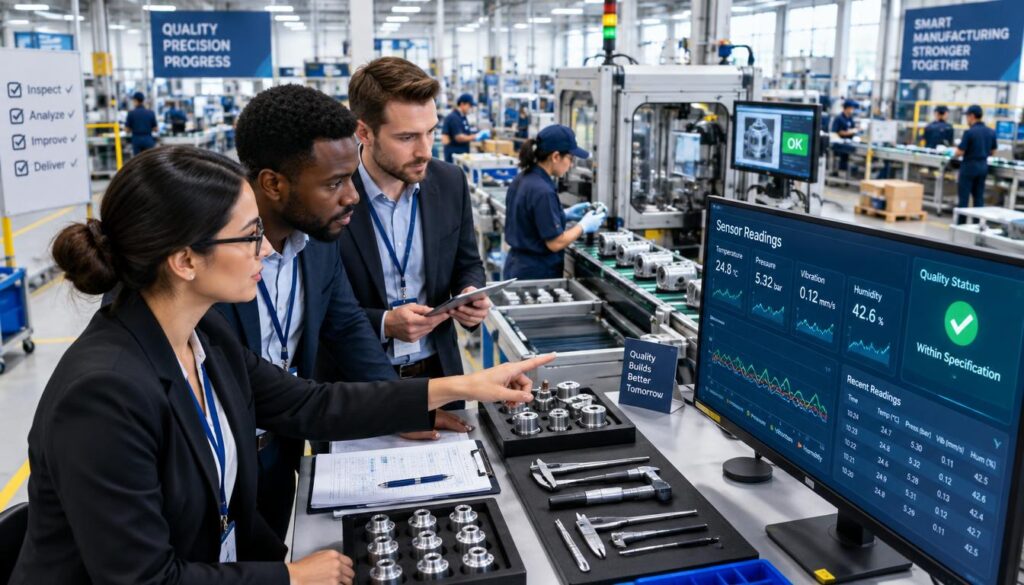
A production line can use sensor readings to identify equipment that may need inspection before an unexpected stop. Predictive maintenance uses equipment data to estimate when attention may be needed. These forecasts help teams plan inspections, but they cannot promise that a machine will fail.
Computer vision can inspect products for visible defects, while sales analysis can help retailers plan stock and promotions. The right use depends on the quality and type of information a team can collect.
Predicting Equipment Problems and Inspecting Quality
Equipment sensors may track heat, vibration, or other signs of wear. A model can look for changes that often appear before a fault, giving staff a reason to inspect a machine. A technician still decides what repair or maintenance is needed.
In manufacturing, AI can support assembly, inspection, and quality control. A vision system can scan for a visible crack, mark, or missing part. The team can use that result to decide which product needs a closer look.
Reading Sales Patterns to Guide Stock Decisions
Retail businesses can analyze sales data to identify strong-selling products and inform stocking or promotion decisions. An AI system may compare sales across products, stores, and time periods to spot useful patterns.
Forecasts can assist stock decisions, but demand remains uncertain. Weather, local events, price changes, and other factors can shift what customers buy. The table connects each use case with an input and a decision it can support.
| Use case | Input | AI task | Decision it can support |
|---|---|---|---|
| Equipment maintenance | Motor vibration and heat readings | Flag changes linked to wear | Schedule an inspection |
| Product inspection | Images of finished items | Find visible cracks or marks | Send an item for review |
| Sales-pattern analysis | Past sales by product and date | Spot rising or falling sales | Plan a promotion |
| Inventory planning | Sales history and current stock | Estimate future stock needs | Set a reorder amount |
Compare an AI forecast with actual sales and stock records before changing reorder rules. That check can show whether the model’s estimates fit the way your stores work.
Where Can AI Assist Healthcare and Education?
An AI tool can help a clinician spot an area for closer review on a scan, but the clinician still evaluates the patient and the image. AI can also help educators tailor practice or manage routine tasks. In both fields, software can assist professionals, but it should not take over their judgment.
Healthcare and education involve people with different needs, so a useful output must make sense in context. Professionals need a clear way to assess what the system suggests.
Supporting Clinical Analysis and Care
Image analysis can help clinicians examine X-rays, CT scans, and MRIs. A system may flag an area that needs closer review, helping a professional focus attention. The output is not a diagnosis on its own.
AI can also analyze patient data to support research or care planning. That may help teams study health patterns or consider information relevant to a patient’s care. Medical professionals remain responsible for clinical decisions.
Healthcare AI can also support disease diagnosis, treatment development, and care tailored to patient data. These uses rely on careful professional review, since a model cannot fully assess a person’s needs by itself.
Personalizing Learning and School Tasks
Education systems can recommend practice based on a learner’s progress. A student who needs more work on a topic might receive extra exercises, while another can move on to a new skill.
AI can assist with grading or scheduling, too. Automated feedback may miss a student’s intent, language needs, or unusual approach to a problem. Educators should review that feedback for context and fairness.
Students and teachers may use these tools in different ways. A recommendation can suggest where to focus, while a teacher can weigh class goals and a student’s progress. In either field, check whether the system’s output can be reviewed and corrected by the professional responsible for the decision.
What Should Businesses Check Before Adopting AI?
A useful AI pilot starts with one repeatable task, a clear measure of success, and a person accountable for the result. Small and measurable is a practical way to test whether a tool helps. Set a named owner, a review process, and a spending limit before the pilot starts.
Adoption figures measure different things, so they do not all describe the same level of use. About 18 percent of U.S. firms had adopted AI by the end of 2025, and more than 20 percent expected to use it in the first half of 2026.
Adoption, Value, and Cost Controls
The Census Bureau broadened its AI-use question in November 2025. In that month, work-related generative AI use reached about 41 percent of the U.S. workforce. Employment-weighted measures found that 78 percent of the labor force worked at firms that had adopted AI.
Those measures count workers at adopting firms, not the share of firms. In November 2025, 54 percent of the U.S. labor force worked at firms using large language models. The 2026 AI Index reported organizational adoption at 88 percent, using a different measure.
Other signs point to fast-growing use, not guaranteed value for each business. AI-native application spending rose 108 percent in one year, and spending by large enterprises on those apps rose 393 percent. Use of applications in the broader AI category grew 181 percent.
Costs can also rise in ways a team does not expect. In one measure, 78 percent of IT leaders reported unexpected charges tied to AI features or usage-based pricing. Unexpected charges affected 78 percent of IT leaders, and 61 percent said they had cut projects because of unplanned software costs. Average annual software-as-a-service spending was $55.7 million per organization.
Privacy, Governance, and Reliability
NIST’s AI Risk Management Framework 1.0, released January 26, 2023, offers voluntary guidance. NIST released its Generative AI Profile, NIST-AI-600-1, on July 26, 2024. In 2026, NIST was revising the framework as part of the White House AI Action Plan.
Privacy risks include data leakage, reuse beyond the original purpose, and retained information that is hard to trace or erase. A system may also use training data without proper permission or produce personal, discriminatory, or misleading content.
About 70 percent of companies considered AI an important or very important privacy concern in 2024. In January 2026, 70 percent of Americans did not trust companies to use AI responsibly, and 81 percent expected organizations to use personal information in ways that would make them uncomfortable.
Do not let a pilot grow on good intentions alone; keep its goal, review, and cost limit clear enough to check.
Latest applications include agent workflows that handle several steps. The 2026 OSWorld benchmark still showed failures on roughly one in three structured attempts, so include an implementation checklist:
- Define the task and the result that would count as success.
- Confirm that the team has permission to use the data.
- Test outputs against real examples before wider use.
- Assign a person to review work and handle errors.
- Track cost and results against the pilot’s starting point.
Stop or revise the pilot if review time, error rates, or usage charges outweigh the task it was meant to improve.
Conclusion
A good first AI project is small enough to review and meaningful enough to measure. Give one person ownership of the task, then decide what result would make the test worthwhile.
Choose a low-risk workflow and record its current time, error rate, or cost before testing an AI-assisted version. That baseline gives you a fair way to compare the new process with the old one. Pick one routine task this week, write down how it works now, and use that baseline to judge whether an AI tool genuinely helps.